
Unpack and deploy
Fast-Https runs on mainstream Linux distributions. The steps below use CentOS 7.9 as an example.
# create a working folder
$ mkdir /soft
$ cd /soft

# download the matching build
$ wget https://gitee.com/ncepu-bj/fast-https/releases/download/v1.0/fast-https_Linux_x86_64.tar.gz

# unpack into the install directory
$ tar -xzvf fast-https_Linux_x86_64.tar.gz -C /usr/local/fasthttps
$ cd /usr/local/fasthttps/
$ chmod 755 ./fast-https
Check the configuration file:
$ cat ./config/fast-https.json
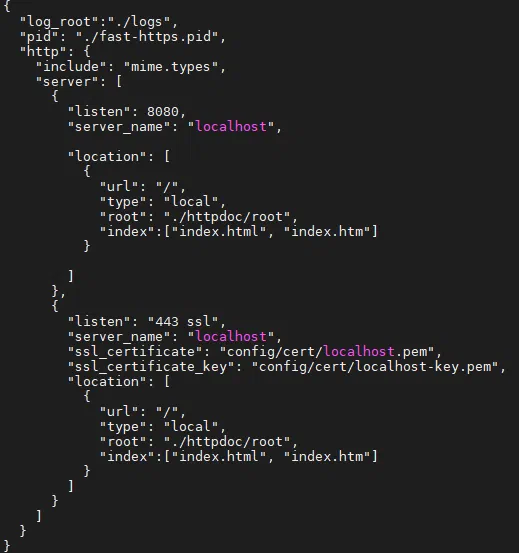
If you open the server from a remote browser, set
server_name to the server IP, for example "server_name": "192.168.11.166". To avoid a port conflict the example uses 1443 instead of 443 (443 is fine too).Start the server:
$ ./fast-https
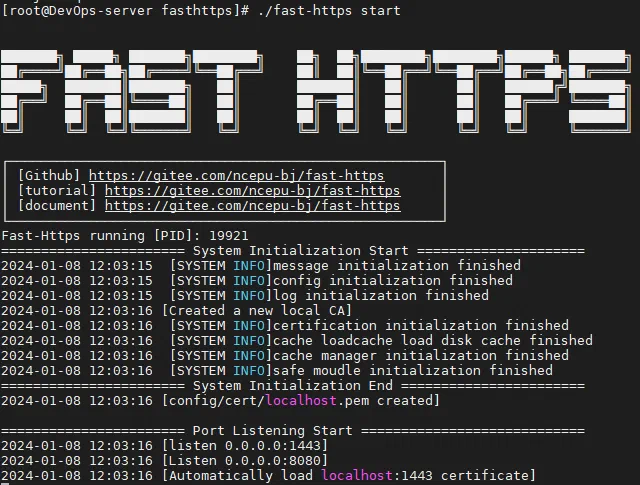
In production, run it in the background:
$ nohup ./fast-https &
Test the default site:
$ curl http://localhost:8080
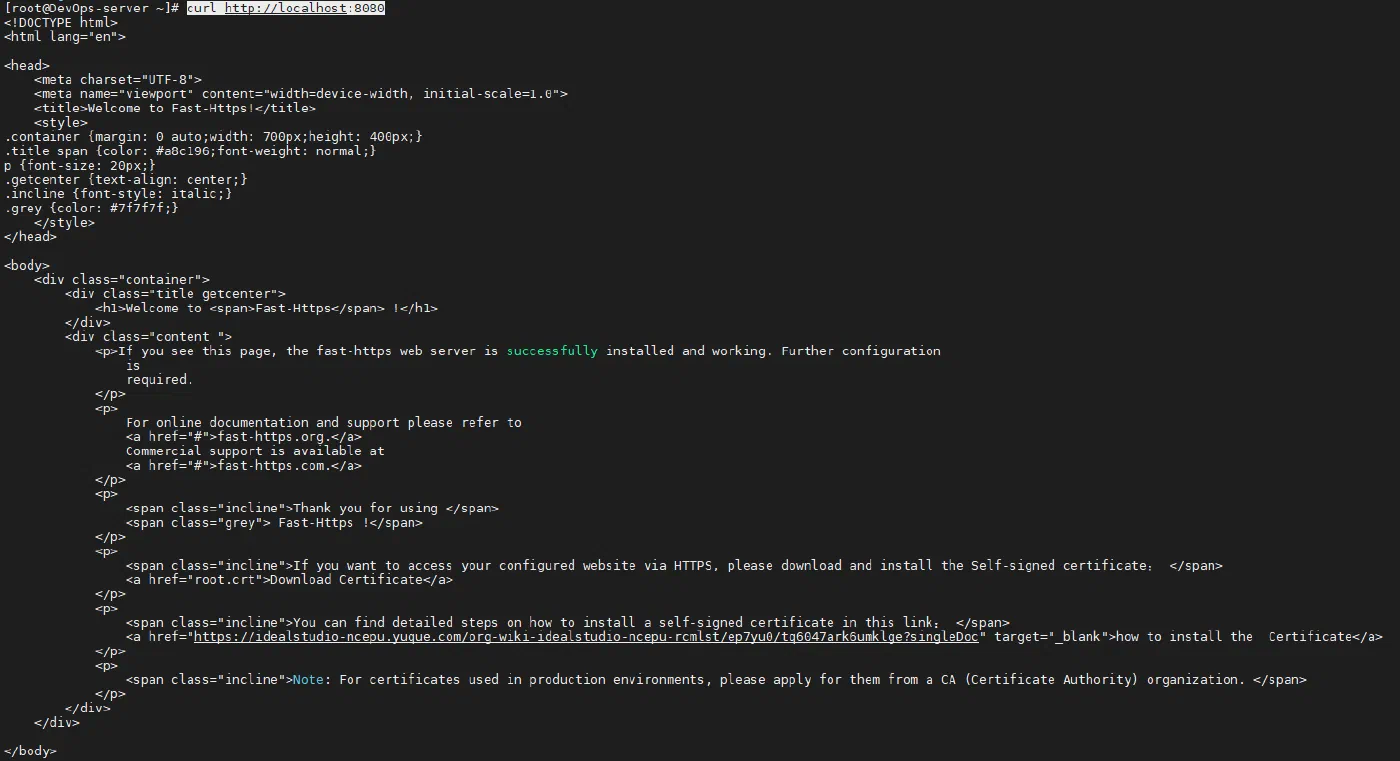
Open http://ip:8080/index.html in a browser and the default page confirms the installation on CentOS is complete.